A full course can gain a seat at any moment, but the university portal does not notify anyone. Students were refreshing between classes and late at night for days, and the seat went to whoever happened to look at the right second.
Student service · Seat monitoring · Email automation
Stop refreshing.We'll watch the seat.
A course-registration companion that watches for an open seat, so students can stop refreshing the portal and get one useful email when it is time to act.
See how it worksCourse watch / active
CourseCSE 251
Section6B
Checking every 30 seconds
Seat found1 seat is now available
Your email has been sent with the schedule and room.
Students served2,000+
How often it checksEvery 30 seconds
What students keep openNothing
What arrivesOne useful email
/ The student problemThe course is full.
The course is full.
The only advice is “keep checking.”
A student could name the course they needed, close the laptop, and usually hear about a real opening within thirty seconds. More than 2,000 students used the service during advising.
The student experience
Four simple steps. No overnight refreshing.
The complexity stays behind the scenes. For the student, the product feels like asking someone dependable to keep watch.
Choose the seat
The student selects the course and section they need from the dashboard.
Close the laptop
The watch is saved on the server. No extension, open tab, or overnight refreshing is required.
We keep watch
Every thirty seconds, the service checks the live course list and confirms the real number of seats.
The email arrives
When a seat is genuinely free, one email arrives with the schedule, room, exam dates, and availability.
The whole story
From registration stress to one timely alert.
This view brings the problem, the four-step experience, the trust decisions, and the result together in one place.
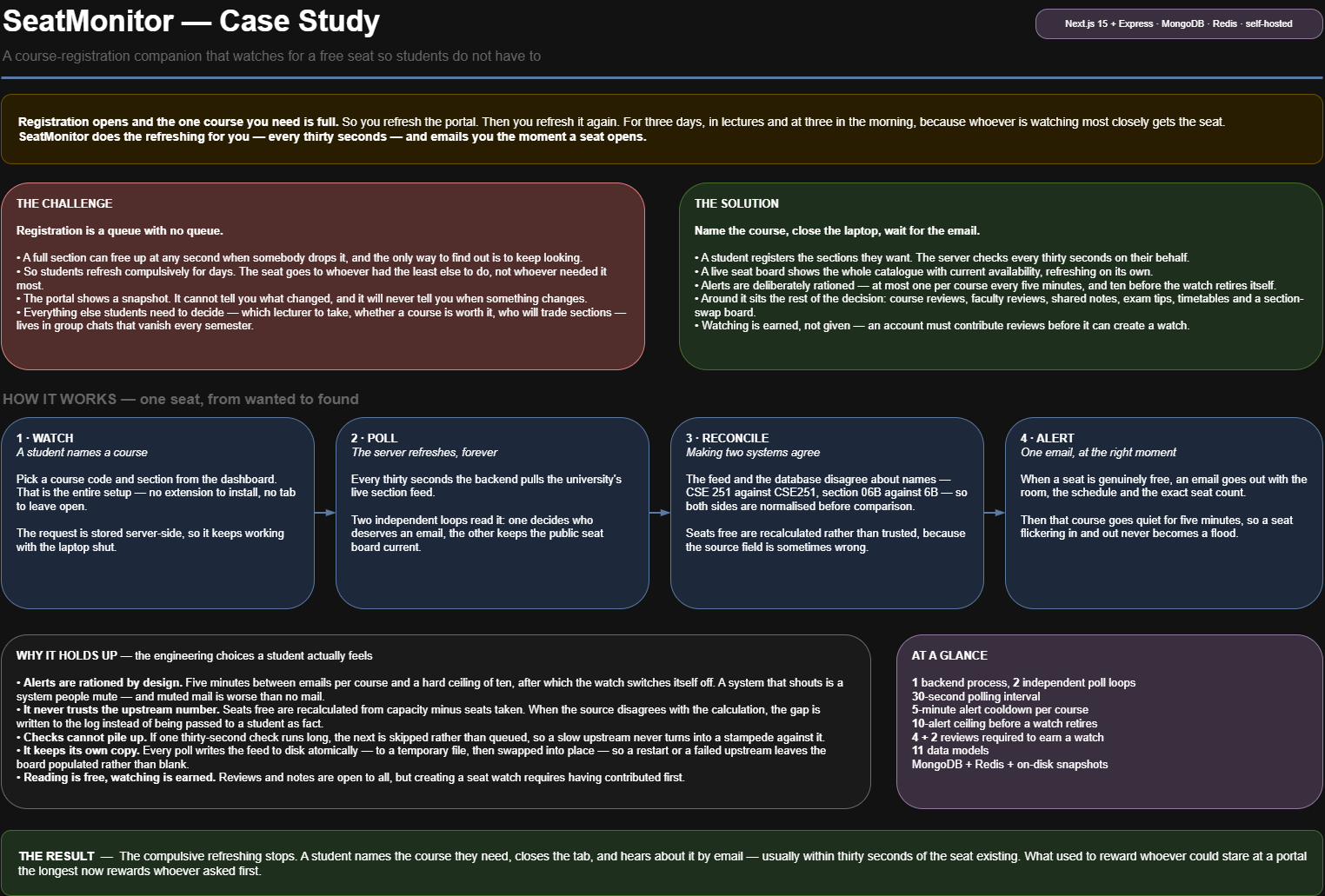 Open full case-study map ↗
Why students could trust it
A notification only helps when it is right.
The important engineering choices show up as a calmer experience: fewer false alarms, no email flood, and a service that keeps working when the source is slow.
Check the real number
The source's availability label was not always dependable, so the service calculates free seats from capacity minus seats taken before telling a student.
Send useful alerts, not noise
A five-minute quiet period and a ten-alert limit stop a seat that flickers in and out from becoming an email flood.
Never let checks pile up
If one check runs long because the university source is slow, the next is skipped instead of creating a growing queue of requests.
Keep the last useful view
Each course update is saved safely, so a restart or source outage can show the last known seat board instead of an empty screen.
A product choice that compounds
The most wanted feature helps build the shared knowledge base.
Course and faculty reviews are free to read. Creating a seat watch is earned by contributing reviews first, so every registration season leaves useful knowledge for the next group of students.
Course and faculty reviews stop disappearing in group chats.
The high-demand feature rewards contribution, not passive use.
Proof behind the promise
Three views of the system doing the watching.
The diagrams are available for technical readers. Each caption explains what the design means for a student or for reliable operation.
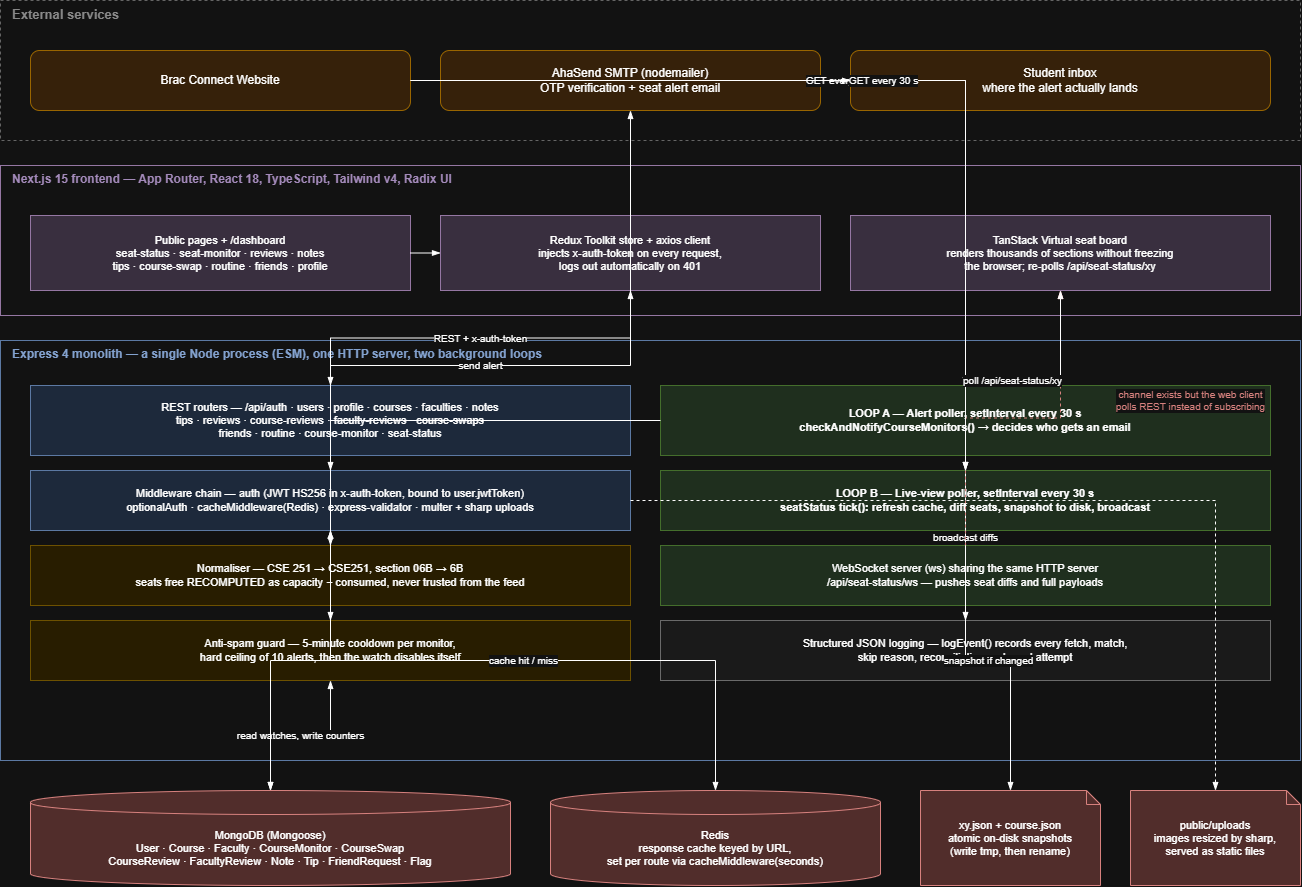 Open diagram ↗
The working service: the student website, university course feed, email delivery, monitoring loops, and stored data cooperate in one self-hosted product.
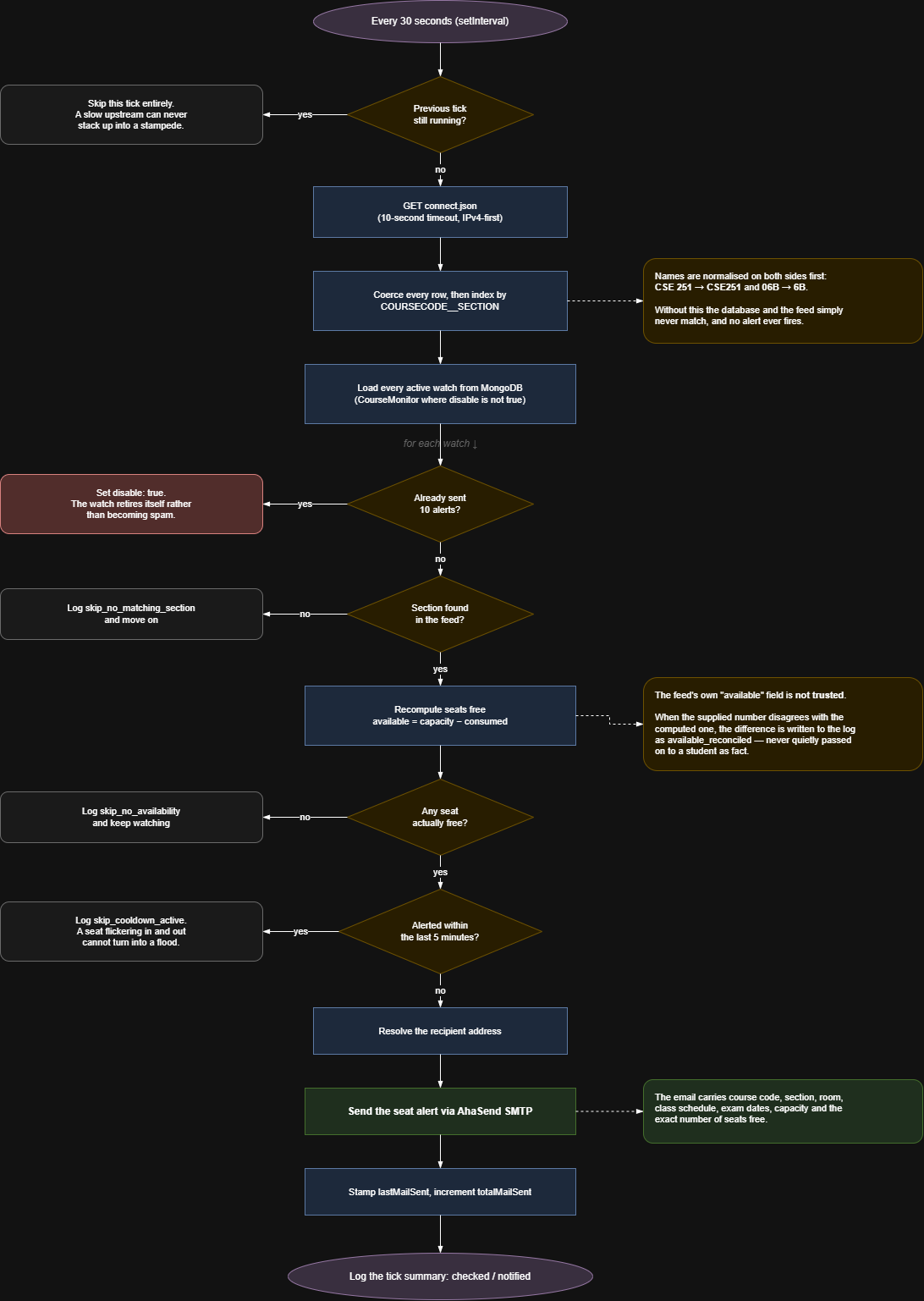 Open diagram ↗
The alert decision: every thirty seconds the service verifies the course, recalculates free seats, avoids duplicate messages, and emails only when the opening is real.
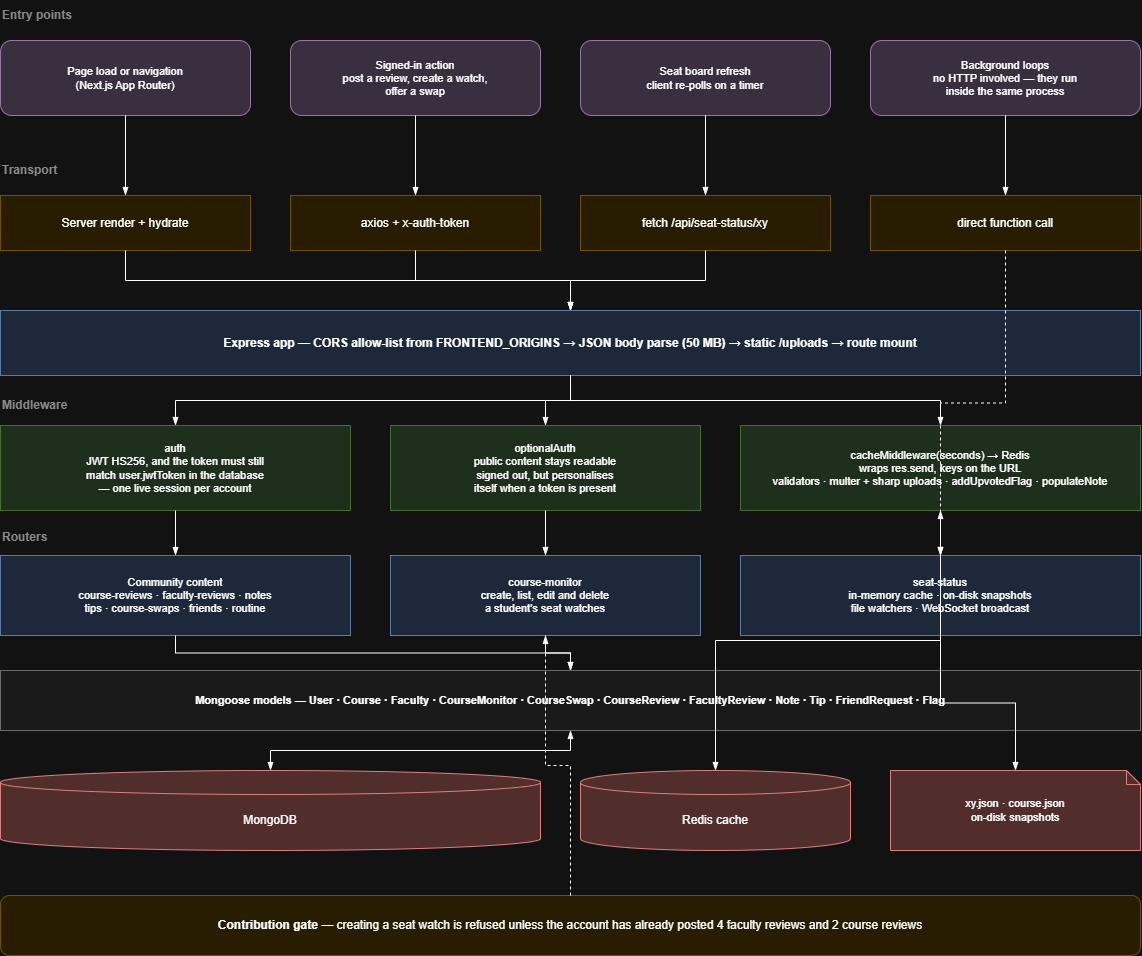 Open diagram ↗
The product behind the alert: public information stays easy to read, personal watches stay protected, and community contributions unlock the most valuable feature.
My contribution
I found the problem, designed the service, and kept it running.
I identified the registration problem, designed the student experience and contribution model, built the monitoring and email workflow, and operated the self-hosted product as a volunteer service.
- Frame the registration problem and design the end-to-end student journey.
- Build the live course board, saved watches, and thirty-second monitoring loops.
- Normalise inconsistent course and section names before matching them.
- Implement verified seat calculations, email delivery, cooldowns, and alert limits.
- Create the review contribution model and broader student knowledge features.
- Design restart-safe snapshots, caching, authentication, logging, and self-hosted deployment.